Button Battles Scripts
Feature map, loadstring, and hard safety rules for a brand-new Party & Casual Roblox hit.
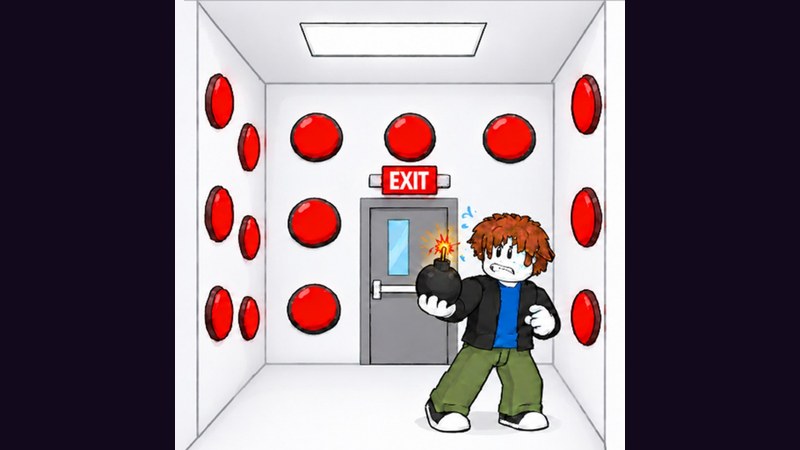
Button Battles rewards fast fingers and sharp lobby awareness: press buttons until the exit pops, dodge traps, then cash out between matches on a 24-player server. That repetition is exactly why community hubs publish automation for queueing, pressing, and stealing. This Scripts Hub explains what those tools claim to do, how players typically run them, and why the risk is real—without pretending exploits are “official features.”
Roblox forbids third-party executors and injected Lua. Using scripts can wipe progress, lock the account, or worse if you paste unknown code. Treat everything below as community tooling documentation, not an endorsement.
What community scripts usually offer
Current Button Battles hubs focus on the same pain points players feel after a few lobby cycles:
Battle / queue helpers
- Walk to a free 1v1, 2v2 Blue, or 2v2 Yellow station and join
- Auto join when you are idle in the lobby
- Quick Play style queueing
- Target box picker so you face the side you want
- Auto press random buttons inside the box (often marked beta)
- Delay slider between presses
- Station ESP showing open vs in-use pads
Cash helpers
- Steal-cash ESP that shows how much each player is carrying
- Highlight when a target is stealable
- Auto steal that walks toward rich players in range
- Minimum cash and max chase distance filters
Shop helpers
- Walk-to-buy for cash items (boxes and PvP disasters)
- Refresh shop lists
- Claim group rewards such as Floor is Lava and Popsicle when available
Movement and visuals (higher risk)
- Speed / jump boosts, infinite jump, noclip, fly
- Player ESP, fullbright, FOV tweaks
- Anti-AFK and panic / stop-all keys
If you only care about learning the fair game, skip this page and open Getting Started, How to win, and Steal cash instead.
Working loadstring (community hub)
Players commonly paste the following line into a third-party executor after joining Button Battles. Executors change weekly; compatibility is never guaranteed.
loadstring(game:HttpGet("https://darkspawnerscript.com/scripts/button-battles.lua?v=" .. tick()))()Typical flow:
- Launch a supported executor on your device (desktop is more common than mobile).
- Join Button Battles and wait until the lobby fully loads.
- Paste the loadstring, execute, then complete any key / checkpoint gate the hub shows that day.
- Open the in-game menu tabs (Battle, Cash, Shop) and enable only what you understand.
- Keep a panic key bound so you can stop walking or pressing if a moderator is nearby.
Step-by-step executor hygiene, key systems, and “what if it breaks after a patch” notes live on How to use scripts.
Risks you should not ignore
- Ban and kick risk — automation and ESP are against Roblox rules. New games often tighten anti-cheat after the first visit spike.
- Alt accounts only — never test unknown loadstrings on a main with limiteds, Robux history, or linked billing.
- Password phishing — real scripts never ask for your Roblox password. Close anything that does.
- Key farms and malware — daily keys routed through sketchy link shorteners can install junk. Use a locked-down browser profile.
- False sense of skill — auto press will not teach trap patterns. When the script dies mid-match, you still need Avoid traps and Modes knowledge.
Fair alternatives that still save time
Want faster progress without injectors?
- Master station choice in the lobby via Modes.
- Spend cash using the Shop guide and Shop items tier.
- Practice clean press pacing from How to win and Strategies.
- Learn the keyboard layout on Controls.
- Watch Updates so you are not farming outdated shop prices after a patch.
How this wiki covers scripts
We describe features so you can recognize menus in videos and Discord screenshots, and we document the widely shared loadstring above. We do not host executors, we do not guarantee uptime after every Button Battles patch, and we will not help with account recovery if Roblox takes action. Prefer the Guides Hub if your goal is simply winning more 1v1 and 2v2 rounds the intended way.
For setup detail, continue to How to use scripts. For economy context that scripts try to shortcut, read Steal cash and the Players Hub notes on group rewards.
Frequently Asked Questions
Quick answers for Button Battles players.
Is there a working Button Battles script?
Community hubs publish a DarkSpawner-style loadstring with auto join, auto press, steal-cash ESP, and shop helpers. It may break after patches and always carries ban risk—see How to use scripts for the full caution list.
What does the Button Battles script do?
Typical menus cover walking to free stations, auto pressing buttons, steal-cash ESP/auto steal, shop walk-to-buy, group reward claims, plus optional movement cheats and visuals.
Can I get banned for using scripts?
Yes. Injected Lua violates Roblox rules. Use an alt if you experiment at all, never share passwords, and expect kicks or bans especially as anti-cheat improves.
Do I need a key to run the loadstring?
Many hubs gate the menu behind a daily key or checkpoint link. Complete it only in a safe browser session, then paste the key into the script UI—never into a fake Roblox login.
What should I learn instead of scripting?
Read Getting Started, How to win, Avoid traps, Steal cash, and the Shop guide. Those pages teach the same loops scripts automate, without account risk.