Using Button Battles Scripts (Risk Guide)
Know what community scripts claim to do, how loadstrings work, and why Roblox enforcement can still ban you.
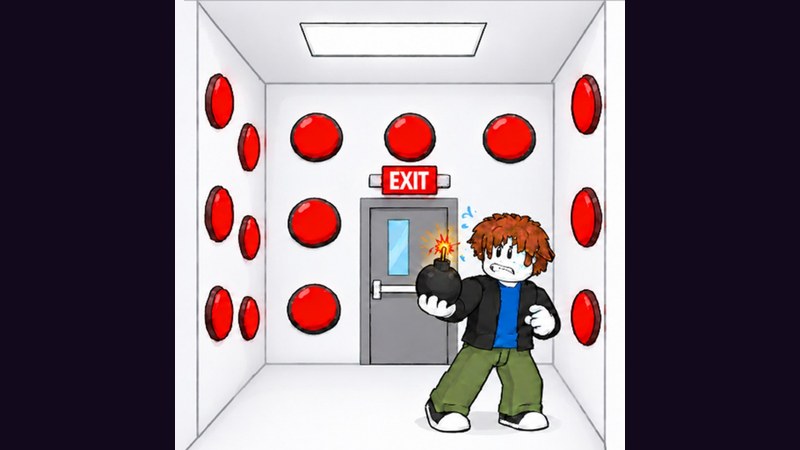
Button Battles has an active script scene. Community hubs advertise auto-press, auto-join, station ESP, steal-cash ESP, auto-steal, shop walk helpers, group-reward claims, and movement boosts. This page explains what those features claim to do, how players typically run a loadstring, and—most importantly—the ban and security risks. It is documentation for awareness, not a promise that cheating is safe or allowed.
Roblox forbids unauthorized third-party clients and automation that violate the rules. Using scripts can cost accounts. If you care about a main, prefer legitimate practice via Getting Started and How to Win. Browse the Scripts Hub for high-level feature lists, then decide carefully.
What “using a script�?usually means
In the Roblox scripting community, “using a script�?generally means:
- Installing a third-party executor (external software).
- Joining Button Battles on Roblox.
- Pasting a loadstring into the executor.
- Running it so a GUI or autofeature set injects into the session.
A commonly circulated Button Battles loadstring looks like this form:
loadstring(game:HttpGet("https://darkspawnerscript.com/scripts/button-battles.lua?v=" .. tick()))()
That line downloads and runs remote Lua. You are trusting the remote host with code execution in your game session. Hosts, keys, and payloads change. Today’s “working�?script can be empty, broken, or malicious tomorrow.
Features players look for
Public feature cards for Button Battles-style hubs often include:
- Battle helpers: walk to a free station and join, auto-join when idle, quick play, target box picker, auto-press random buttons with a delay slider, station ESP for open vs in-use pads.
- Cash helpers: steal-cash ESP (including rich-target highlights when stealable), auto-steal pathing toward the best marked target.
- Shop helpers: walk-to-buy for cash items (boxes, PvP disasters), claim group rewards such as Floor is Lava and Popsicle.
- Player/visuals: speed, jump, infinite jump, noclip, fly, player ESP, fullbright, FOV, anti-AFK, panic stop keys.
Those labels explain why people search scripts. They do not make the tools legitimate. Auto-pressing random buttons also collides with the skill the game is built on—and can slam traps faster than a calm human. Read Avoid Traps to see why random pressing is a bad idea even before policy risk.
Ban risk and account safety (read this twice)
- Executors can violate Roblox Terms of Use.
- Detection is inconsistent day to day and harsh after waves.
- “Only client-sided�?marketing is not a guarantee.
- Key systems and ad gates on script pages can push malware, token stealers, or phishing.
- Using scripts on an alt still normalizes risky downloads on your PC.
If you cannot afford to lose the account, do not run scripts. Learn stations, steals, and shop routes manually with Modes, Steal Cash, and Shop.
If you still research executors: cautious checklist
This wiki will not recommend a specific executor brand. If you insist on experimenting on a disposable test account, community practice usually looks like:
- Use an account you can lose.
- Avoid pasting loadstrings you cannot read.
- Prefer HTTPS sources you recognize—and still assume compromise is possible.
- Disable unrelated permissions on your OS user profile when testing unknown binaries.
- Paste the full loadstring, execute once, and watch for unexpected prompts.
- Keep a panic habit: stop all scripts and leave if behavior turns hostile.
- Never enter your main Roblox password into a script GUI.
Executor compatibility shifts constantly. Hydrogen, MacSploit, AWP, Delta, Fluxus, Codex, and others appear in community chatter; none are endorsed here. “Works on my machine�?posts expire fast.
How loadstrings actually run
HttpGet pulls text from a URL. loadstring compiles it. The trailing () executes it. The tick() query argument is often used to bypass caches so clients fetch a fresh payload. That freshness is convenient for authors—and dangerous for you, because the file can change without your knowledge.
If a script suddenly asks for a daily key, completes off-site linkverts, or demands Discord linking, you are in a classic gate. Gates are where many players get phished. Walk away when anything asks for credentials.
Scripts vs real skill progression
Even if a tool auto-joins stations, you still benefit from understanding why pads matter—covered in Modes. Even if steal ESP paints targets, timing and skip discipline still matter—covered in Steal Cash. Even if a shop walker buys items, value judgment still matters—covered in Shop Items Tier List and Strategies Tier List.
Players who only automate never build the composure that wins clean boxes after a patch breaks their GUI. Manual reps on How to Win survive updates better than any hub menu.
Ethical and lobby impact
Auto-steal and station sniping tools make lobbies worse for everyone else. If you hate fighting ESP users, do not become one on your main. Report suspicious movement through Roblox’s official tools when appropriate, then return to fair queues.
This wiki lists script realities because players search for them and deserve honest risk framing—not because we want Button Battles turned into a bot arena.
Troubleshooting “script not working�?reports
When community scripts fail, causes are usually:
- Executor outdated or blocked
- Game updated and offsets broke
- Key expired
- Wrong experience (similar “button�?games exist)
- Server-side checks rejecting the function
There is no support desk here for illegal tooling. If your goal is stable progress, skip the debugger spiral and play legit.
Safer alternatives on this wiki
- Learn the loop: Getting Started
- Earn without cheats: How to Win, Avoid Traps
- Economy: Steal Cash, Shop
- Meta: Tier List Hub, Players, Updates
- Inputs: Controls, Tools
- Codes (when they exist): Codes, How to Redeem
- Overview: Wiki
Bottom line
Button Battles scripts exist and advertise powerful automation. Running them means downloading remote code through an executor and accepting ban plus malware risk. The loadstring form circulating for this game is easy to paste and hard to trust. If you value your account, spend your time on stations, traps, steals, and shop plans instead. Use this page to understand the landscape—then make the choice that keeps your Roblox profile alive.
Frequently Asked Questions
Quick answers for Button Battles players.
Are Button Battles scripts allowed by Roblox?
Unauthorized executors and cheats generally violate Roblox rules. Using them can result in moderation actions including bans. Prefer legitimate play on your main account.
What does the Button Battles loadstring do?
It downloads and runs remote Lua that typically injects a hub with auto-join, auto-press, ESP, steal helpers, and shop utilities. The remote file can change without notice.
Can auto-press scripts hit traps?
Yes. Random auto-press features often trigger traps faster than a careful human search. They do not replace pacing skill.
Is there a safe official script?
No official Triumphant Jeamus cheat script exists. Anything requiring an executor is third-party and carries risk.
What should I use instead of scripts?
Practice 1v1 pacing, learn steal marks manually, claim group rewards, and spend cash with a shop plan using the guides and tier lists on this wiki.